 Video Splitter
 Video Joiner
 Audio Recorder
Best Audio Recording Software for Mac [2025]
Looking for the best sound recorder for Macbook/iMac? As the best audio recording software, which should be easy for you to record high-quality sound from both internal system sounds and external audio from your microphone. In this software review article, we'll take a look at a selection of audio-recording software for a Mac, I hope you can find the right Mac audio recorder to meet your needs.
Top 1. UkeySoft Screen Recorder for Mac
UkeySoft Screen Recorder is an app that you can use on your MacBook to record audio (both internal and external) or video content of your screen. It's some of the best audio-recording software for a Mac due to its versatility and ease of use, so you can quickly and simply capture only the audio from your Macbook/iMac as needed and save it as MP3, WAV, or M4A files. What’s more, the software also offers a built-in video/audio editing tools for you, so that you can easily to cut or split your recorded audio/videos and save them on Mac.
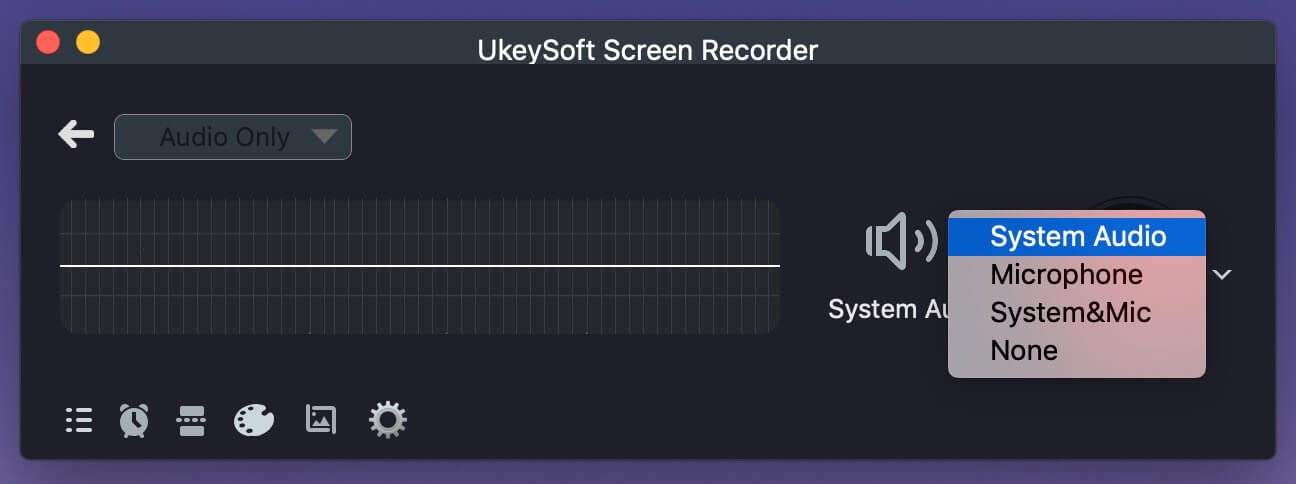
Key Features:
- Capture screen and webcam with audio and microphone.
- Record audio to MP3, WAV or M4A in high quality, up to 320kpbs.
- Record webcasts and screencasts in HD and 4K with or without the audio stream.
- Record music, speech, and audio effects in high quality.
- Create video tutorials and presentations in high quality.
- Capture keystrokes, mouse clicks, and cursor movement for guides and instructions.
Pros:
- Record system sound and mic - 100% safe and noise-free.
- Adjust audio recording qualities with setting recording parameters.
- Schedule your recording easily with built-in timer.
- Preview sound recording device before record.
- Make your videos even more engaging by drawing notes, shapes, and figures in real time.
- Split audio recordings every hour or every few minutes or GB.
- Compatible with any Windows or Mac computer.
Cons:
- No free, but the trial version allows to record screen with watermark.
- Not compatible with iOS and Android device.
Top 2. ApowerShare Audio Recorder for Mac
When you're looking for the best Mac audio recording software to record high quality audio from apps, ApowerShare Audio Recorder is the best choice. It’s a professional App’s audio recorder software that also can be used as a fully-featured music creation studio. This software can record any sound while playing on browser or apps, so you can use this tool to record online meetings, live radio, game playing sounds, background music, and record audio while playing video/music on browser. This audio recorder for a Mac comes with a powerful audio editing features, allowing you to split, merge or edit your recorded sound as needed.
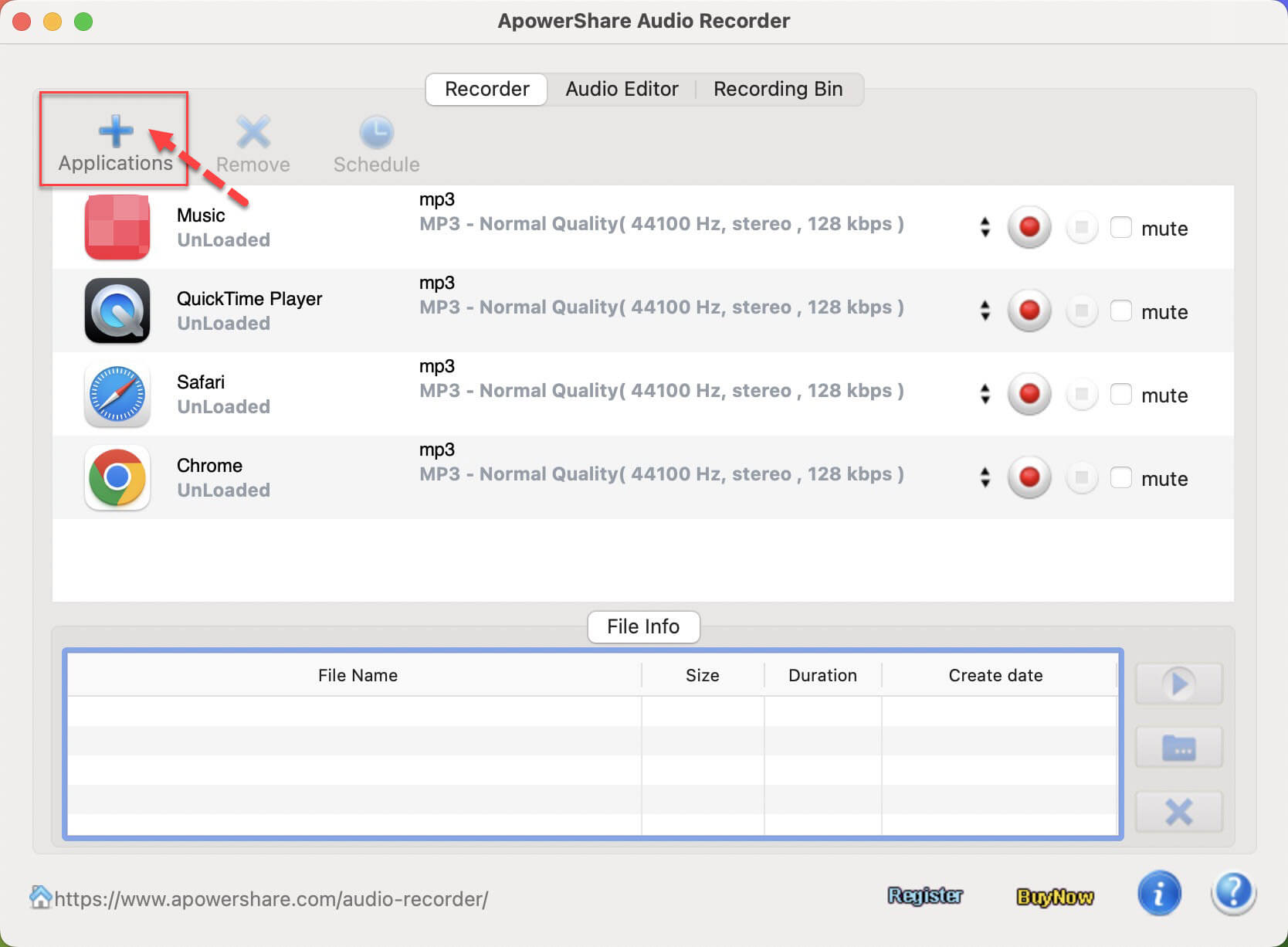
Key Features:
- Capture good quality sound while playing video/audio on browser.
- Capture any audio from any apps on Mac.
- Record audio to MP3, WAV, M4A, and other formats.
- Built-in auto-splitting and advanced editing features.
- Runs smoothly on the latest Mac computer.
Pros:
- Record any app’s app on Mac - 100% safe and noise-free.
- Awesome features making your enjoy Audio Capture better.
- Compatible with any Mac computer.
Cons:
- Cannot record screen and video.
- Not compatible with Windows, iOS and Android.
Top 3. QuickTime Player
Mac also offers a free built-in audio recorder for users to record audio on your Mac, the app is QuickTime Player. You can use Mac QuickTime Player to record audio on Mac, or recording screen and video on Mac, it is a native app for Mac, you don't need to download and install additional plug-ins or apps, but it also has hidden recording capabilities and can record your whole screen's video, as well as capture audio. In addition, you also can playing media files with QuickTime Player, it’s very easy.
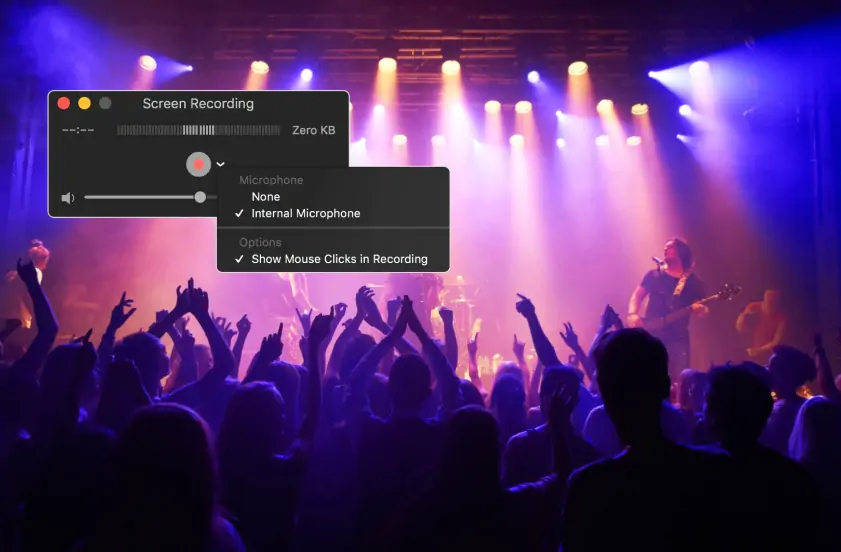
Key Features:
- It’s free, built-in with every Mac
- Record video and audio on Mac
- Playback video and audio in the app
Pros:
- Pre-installed on all Mac computers
- Very easy to used.
- Support record video and audio.
- Support play media files.
Cons:
- Limited functionality
- Difficulty recording App audio
Top 4. GarageBand
GarageBand is a free audio recorder for a Mac, there are a full audio library of instruments and voice presets in it. As the name implies, this software is aimed at bands and musicians. This desktop audio recorder for a Mac comes with a plethora of editing tools and features, allowing you to mix, sync, and adjust your tracks as needed.
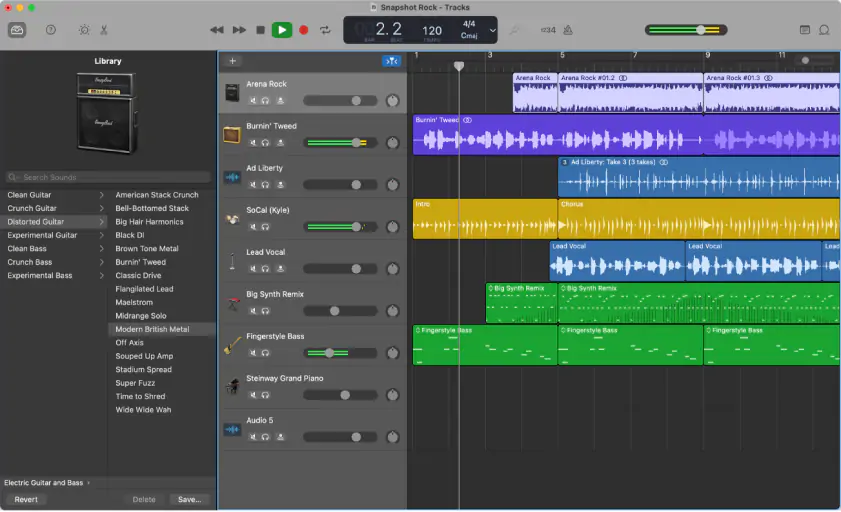
Key Features:
- Multi-track recording.
- A huge library of presets.
- Can create complete music tracks.
Pros:
- Ideal for musicians and singers.
- Syncing tracks is very easy.
- Lots of editing features.
Cons:
- Some features are quite complicated.
- Not compatible with Windows, iOS and Android OS.
